
Step-by-step guide
From lyrics to a gig-ready chart
We'll take one royalty-free song — the traditional House of the Rising Sun — from a blank page to a print-perfect PDF, meeting the most common elements as we go. About ten minutes.
This guide uses House of the Rising Sun, a traditional folk song in the public domain, so you can follow along with the exact same words and chords — no copyright to worry about. Everything you learn here works the same for your own songs. Want the full menu instead? See the element reference.
What we'll build
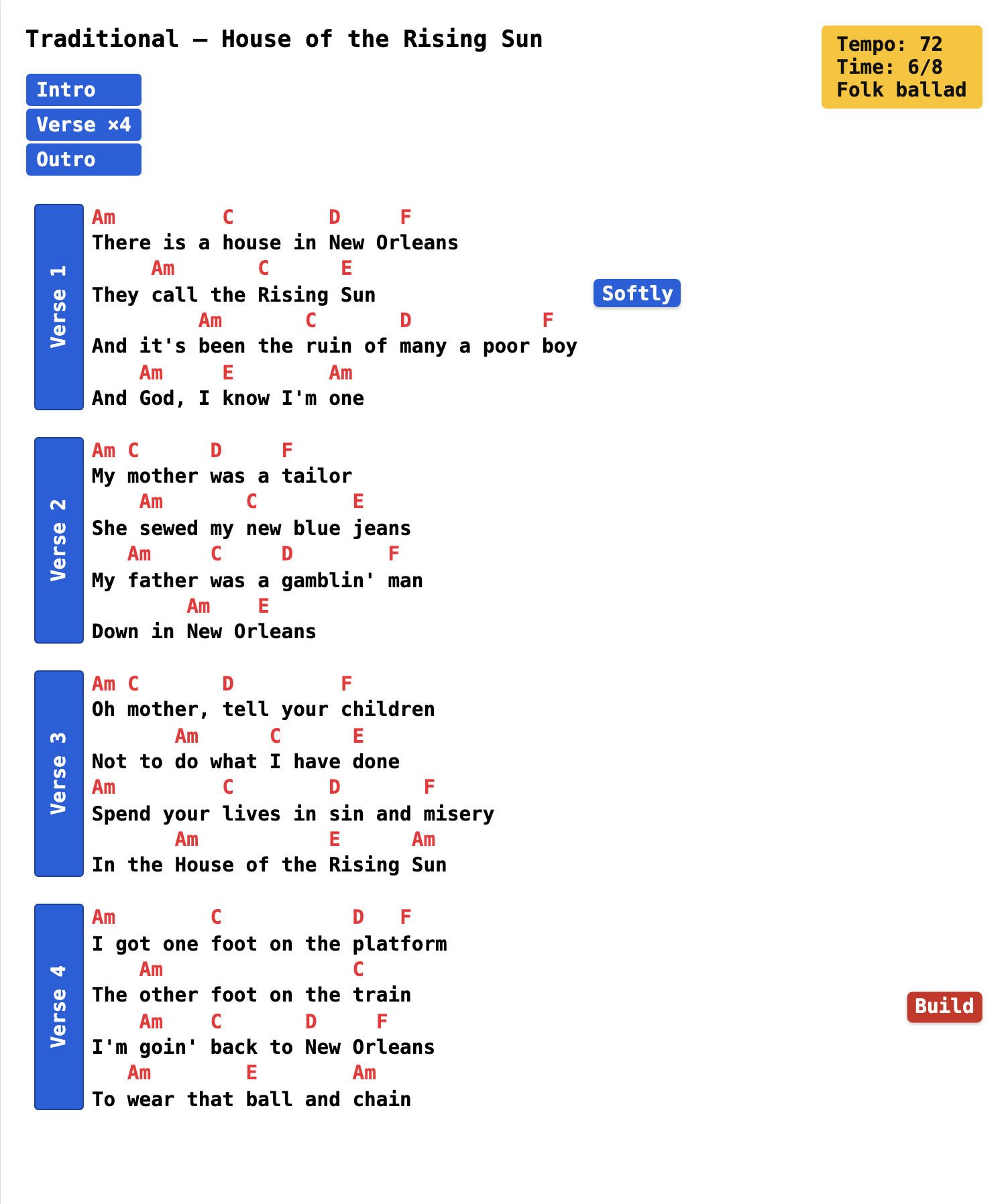
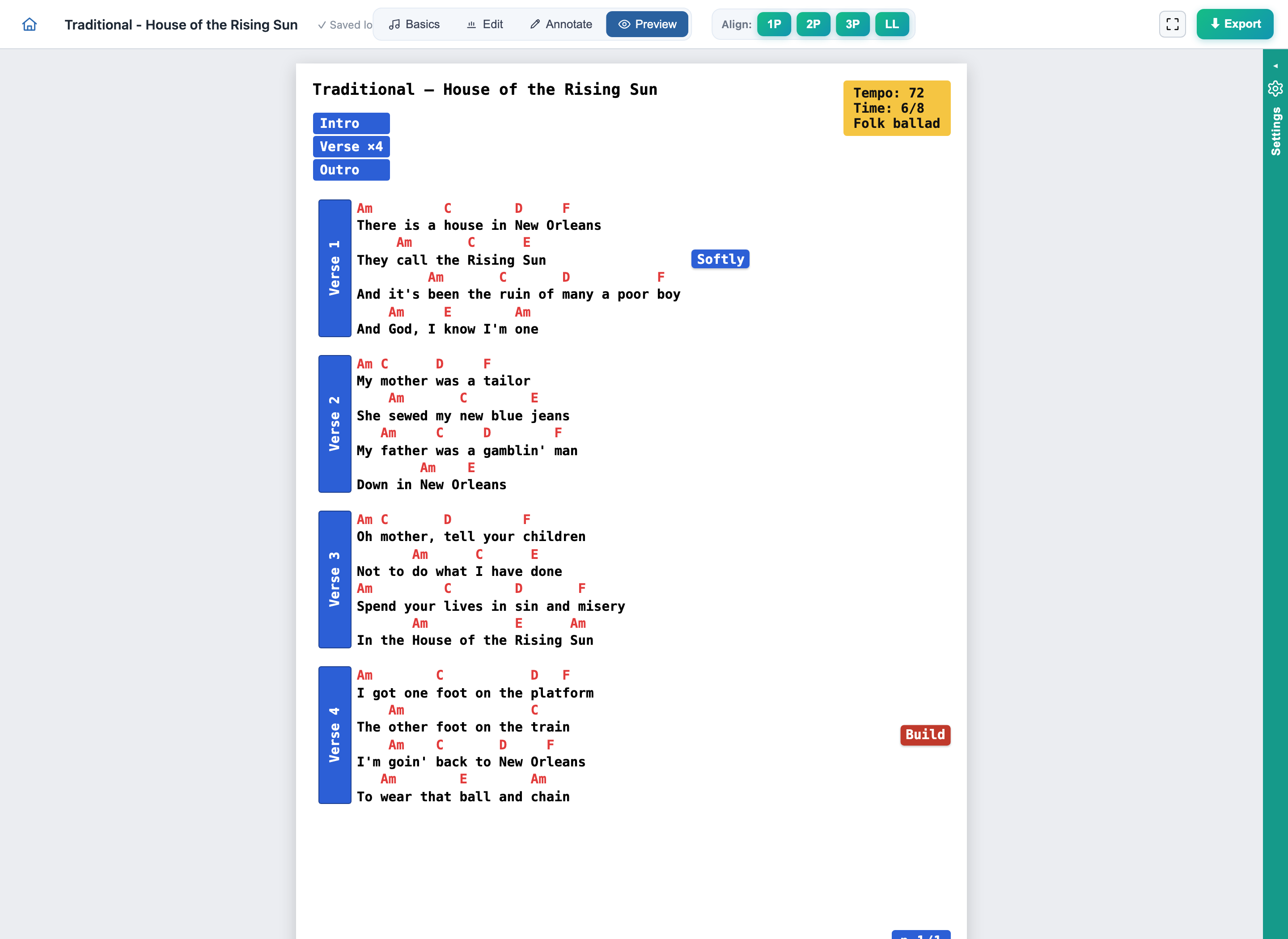
Here's the finished chart. By the end you'll have made this: clean chords over lyrics, labelled sections, a couple of performance cues, a compact arrangement road-map, a consistent colour theme, and a one-page PDF ready for the stand or a tablet.
1 · Start a new song
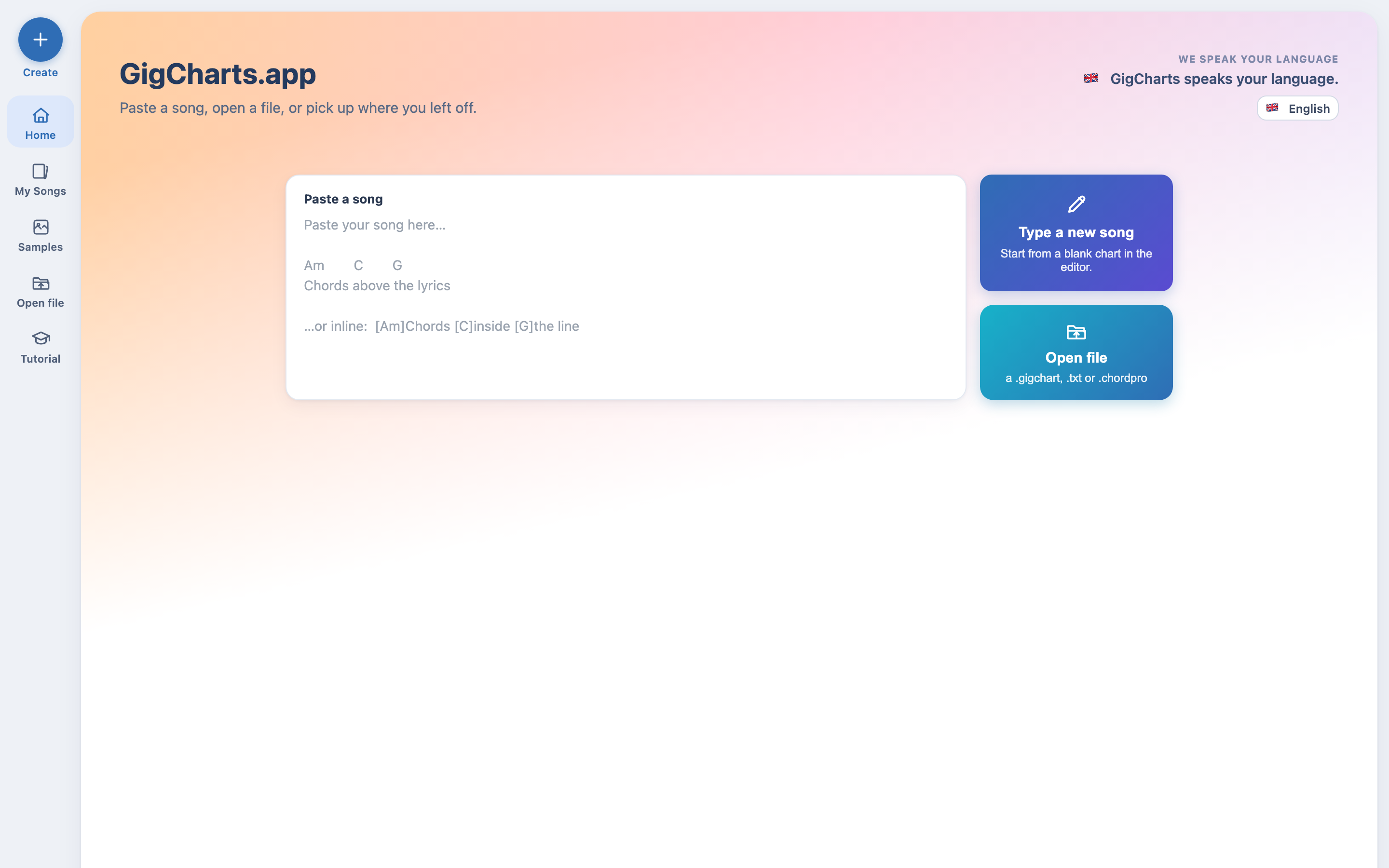
From the app's home screen you can Type a new song, open a file, or just paste straight into the box. Any of them drops you into the studio's Edit tab, with a live thumbnail of the printed page alongside — everything you type shows up formatted, instantly.
2 · Paste the words & chords
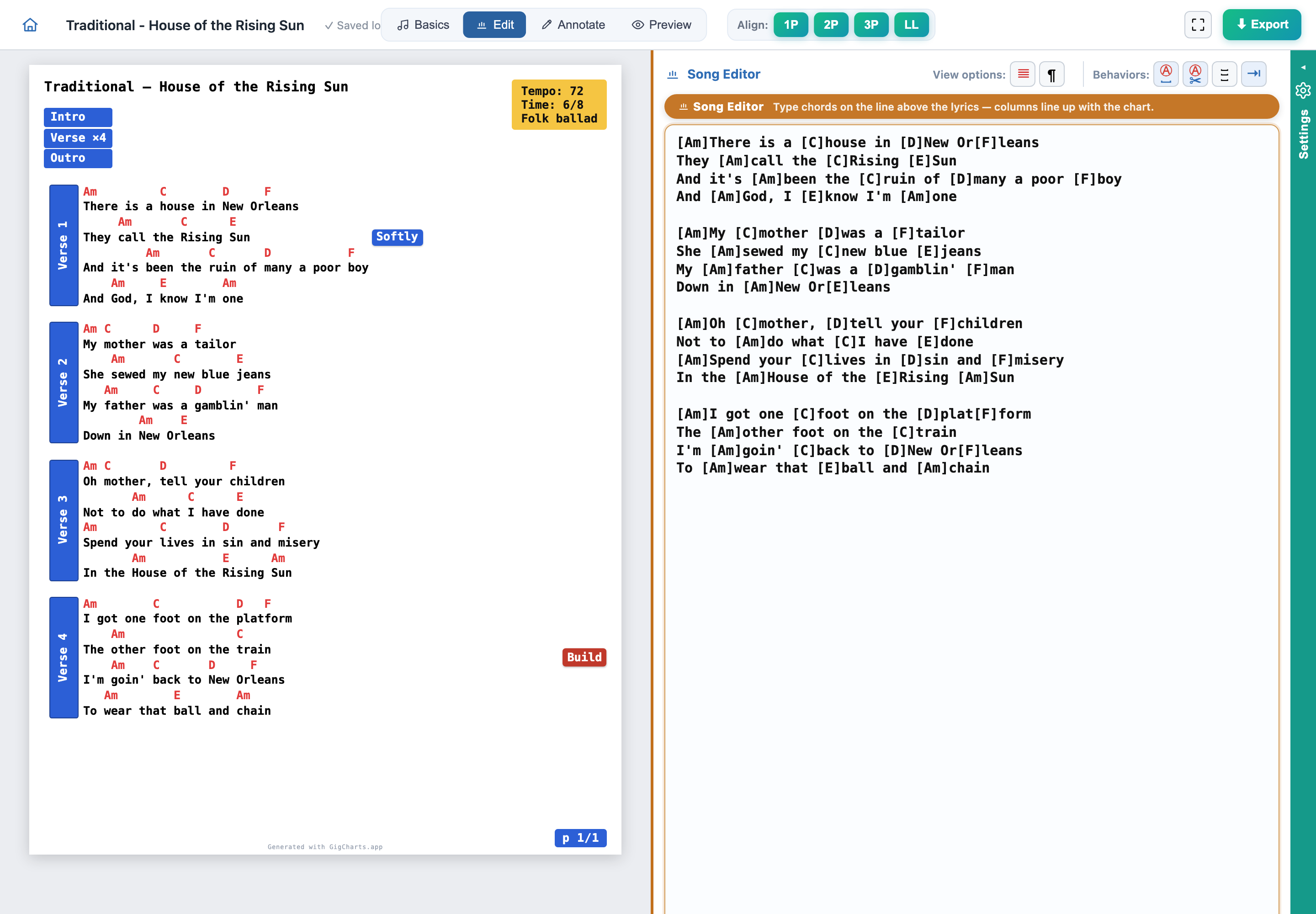
In the Edit tab, paste the song in. GigCharts understands the two common ways to write chords, so use whichever you have. This guide uses the inline style — chords in square brackets, right where they land in the words:
[Am]There is a [C]house in [D]New Or-[F]leans
They [Am]call the [C]Rising [E]Sun
And it's [Am]been the [C]ruin of [D]many a poor [F]boy
And [Am]God, I [E]know I'm [Am]one
As you paste, the preview lines the chords up over the right syllables. A blank line between verses becomes a break between stanzas.
3 · Title, key & capo
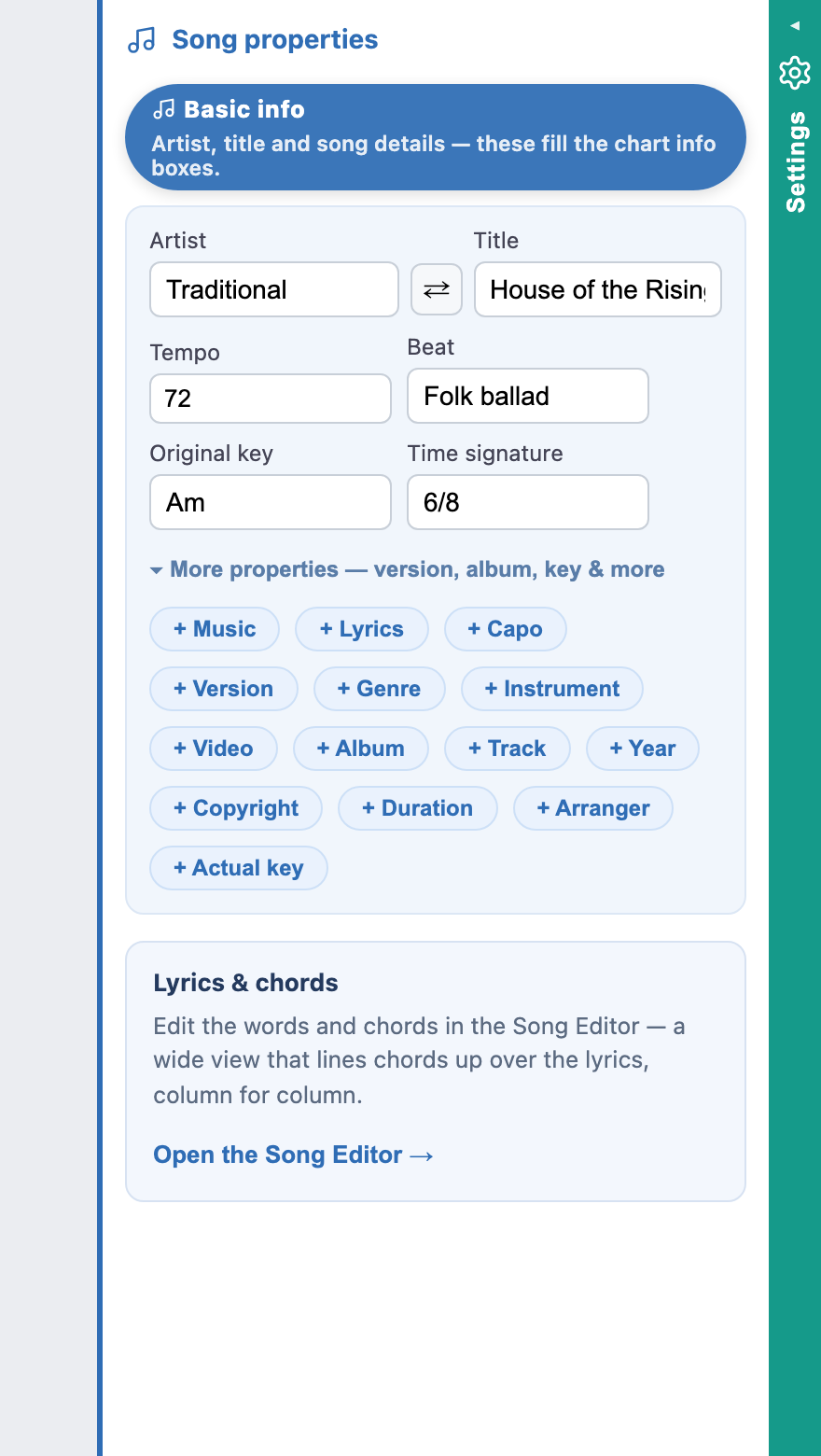
Switch to the Basics tab. Give the song a title and state its key so it reads clearly at the top of the chart. House of the Rising Sun sits nicely in A minor. If your player uses a capo, set the position here too — GigCharts keeps the capo and the printed chord shapes honest, and shows a clear capo badge in the header.
4 · Mark the sections
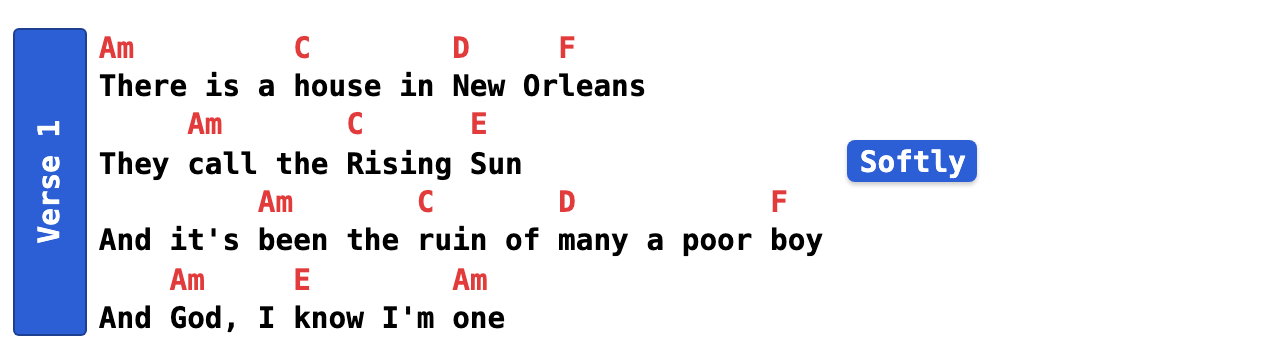
Now give the song some bones. Open the Annotate tab — this is where every performance mark lives. Mark the opening as Verse 1 and the following stanzas as their own verses — each gets a coloured spine and a label down the side, so the form of the song is obvious at a glance. Give recurring parts the same colour and they'll always look the same across the page.
5 · Transpose to fit the singer
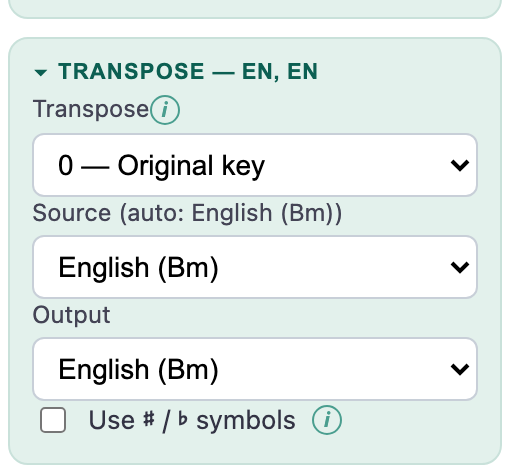
Say your singer wants it a step higher. Open the Settings drawer and find Transpose: it moves every chord up or down by semitones at once — the words never move. Nudge it up a couple of semitones and the whole chart follows; the key statement updates with it.
6 · Add performance cues
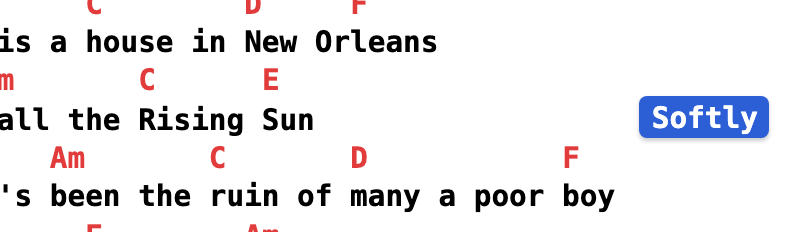
A chord chart says what to play; cues say how. Still in the Annotate tab, drop a small chip where you need it — pin a Softer cue beside the quiet verse and a Build cue where the song lifts. Cues are the most flexible element: put them above a line, beside the text, or hard out in the margin, and they'll never run off the edge.
7 · Lay out the road-map
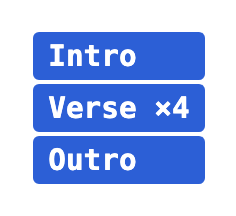
Give the band the shape of the whole song in one glance. The road-map is a compact stack of coloured bars — one per part — in the order you actually play them: Intro · Verse ×4 · Outro. Colour the bars to match your sections and it becomes an instant 'what comes next'.
8 · Pick a colour theme
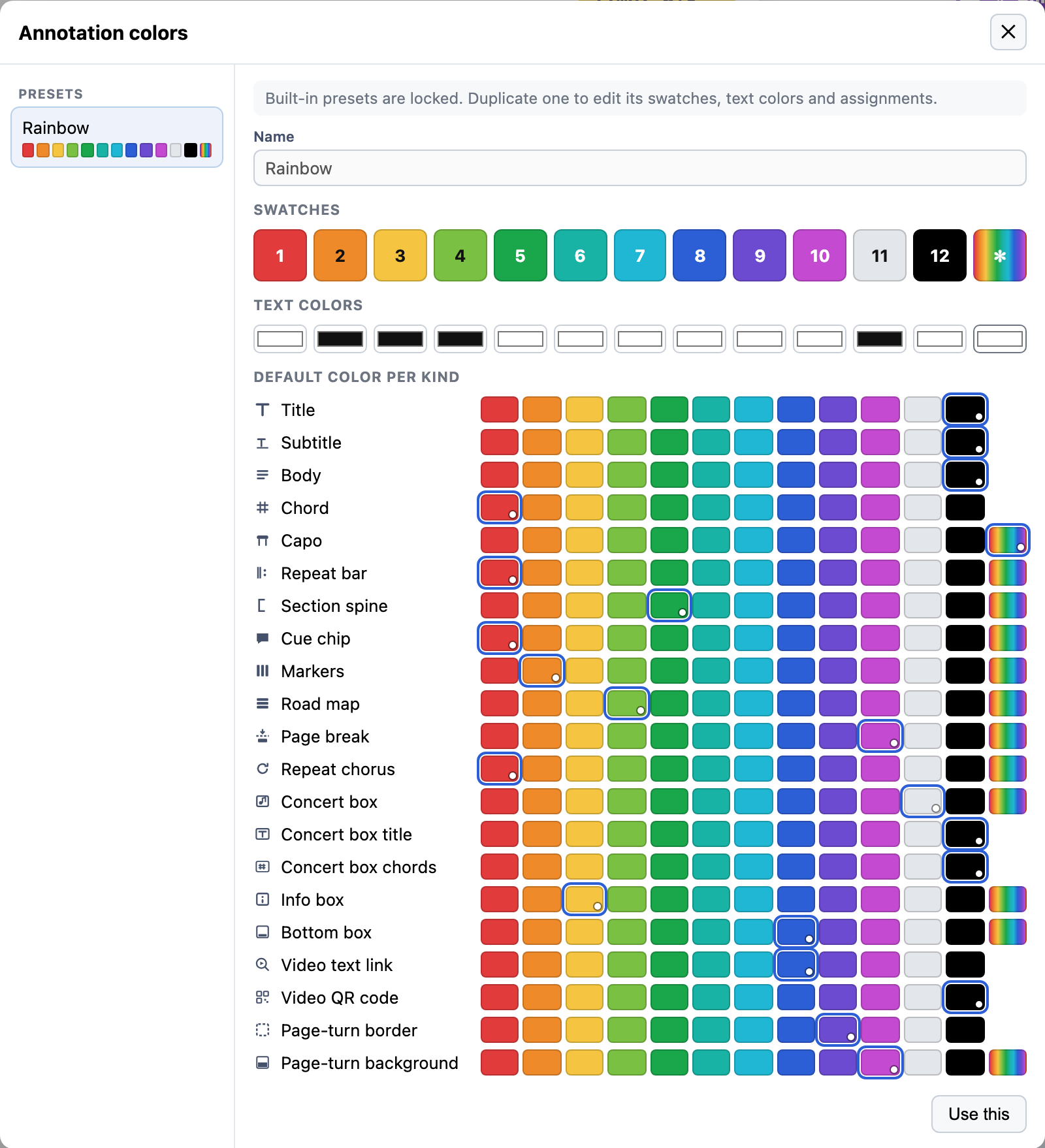
Back in the Annotate tab, open Manage annotation colors… and pick a preset — Rainbow, Pastel, Muted or Grayscale. Each one recolours the whole chart at once — chords, section spines, cues, the road-map — so this song matches the rest of your book. Keep the one that reads best for you; on a dark stage a high-contrast preset earns its keep.
9 · Fit the page & the turn
Pick your page size — A4, Letter, or a tablet-friendly size — and GigCharts fits the song to it, sizing the type to fill the page without crowding and paginating so a line that matters never gets split. If the song runs to two pages, the page-turn preview shows the start of the next page at the bottom of this one, so a reader knows what's coming and turns on the right beat.
10 · Export the PDF
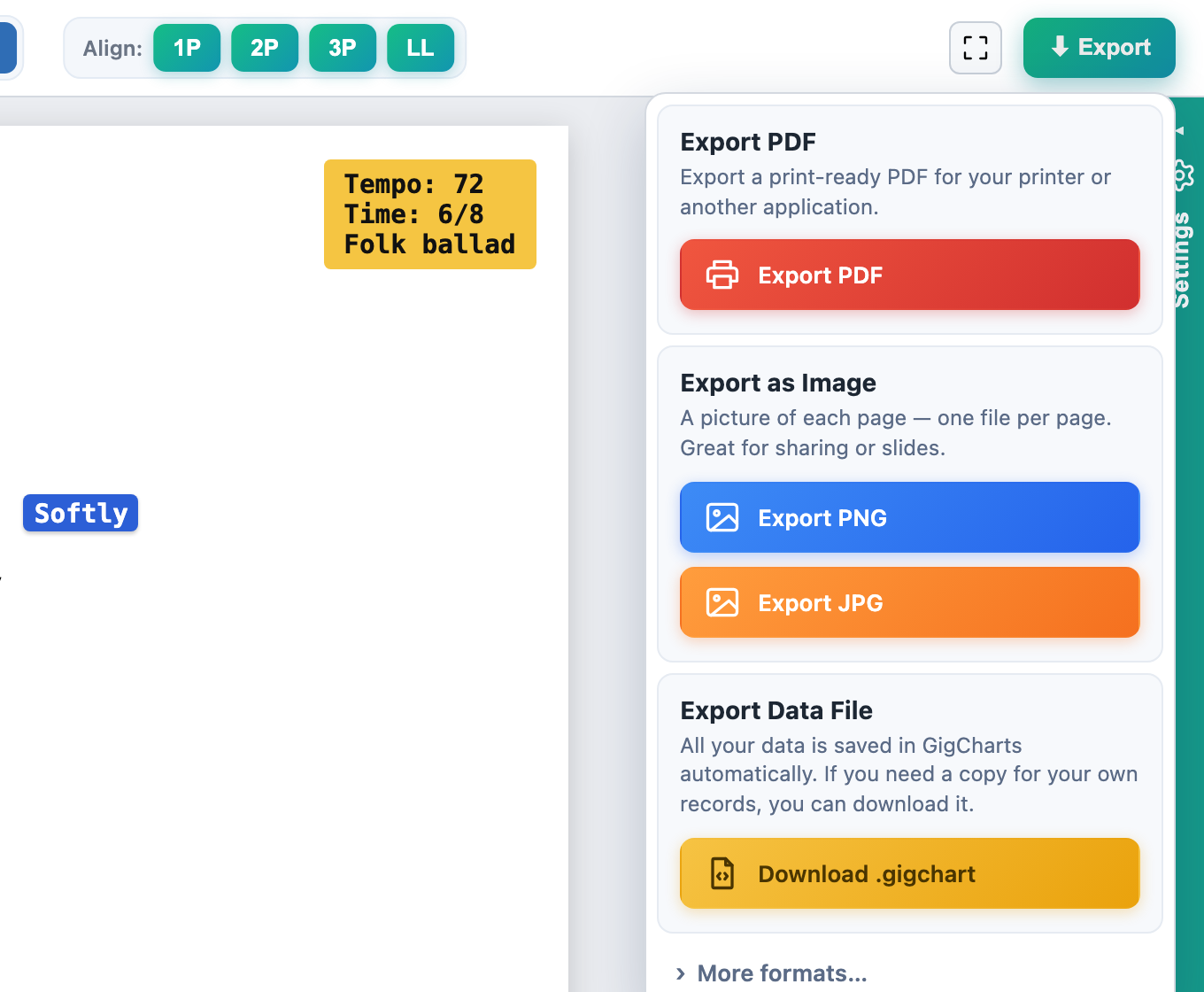
Last step: the Export button, top-right. You get a print-perfect PDF that matches the preview exactly — built right in your browser, nothing uploaded. It opens in any PDF reader and in the tablet apps musicians use (MobileSheets, b.beat). Print it for the binder, or drop it into your set-list app.
Where to go next
That's a full chart, start to finish. You've met sections, cues, transpose, the road-map, themes, page fitting and export — the elements you'll reach for on almost every song. To go deeper, browse the element reference: it covers every element on its own, including voices (colour lines by singer), repeats, QR codes, the info box, and more.