A tool for charting your songs
Beautiful chord charts, in minutes.
Paste your song. Get a clean, professional chart that looks like every other chart in your book. Export a print-perfect PDF — for the stand, the binder, or forScore, OnSong, MobileSheets and B.Beat.
Free to use — no account needed to start.
Why I built this
I made the tool I wanted for my own songbook.
For years I formatted my charts by hand — and every song came out a little different. I just wanted them to match: the same clean, readable look across my whole repertoire, without redoing the formatting every time. So I built GigCharts to do exactly that — paste a song, and it becomes a chart that fits the rest of your book.
A chord sheet is easy to make once. A hundred that all belong together — and that you'll still trust on stage a year from now — is a different job. That's the part GigCharts is built for.
How it works
Three steps to a stage-ready chart.
-
![The song editor: inline [chord] source on the right, a live chart on the left.](/assets/screenshots/step-1-paste.png)
Paste or type.
Chords over lyrics, or inline [C] style — GigCharts reads both and lays it out as you go.
-
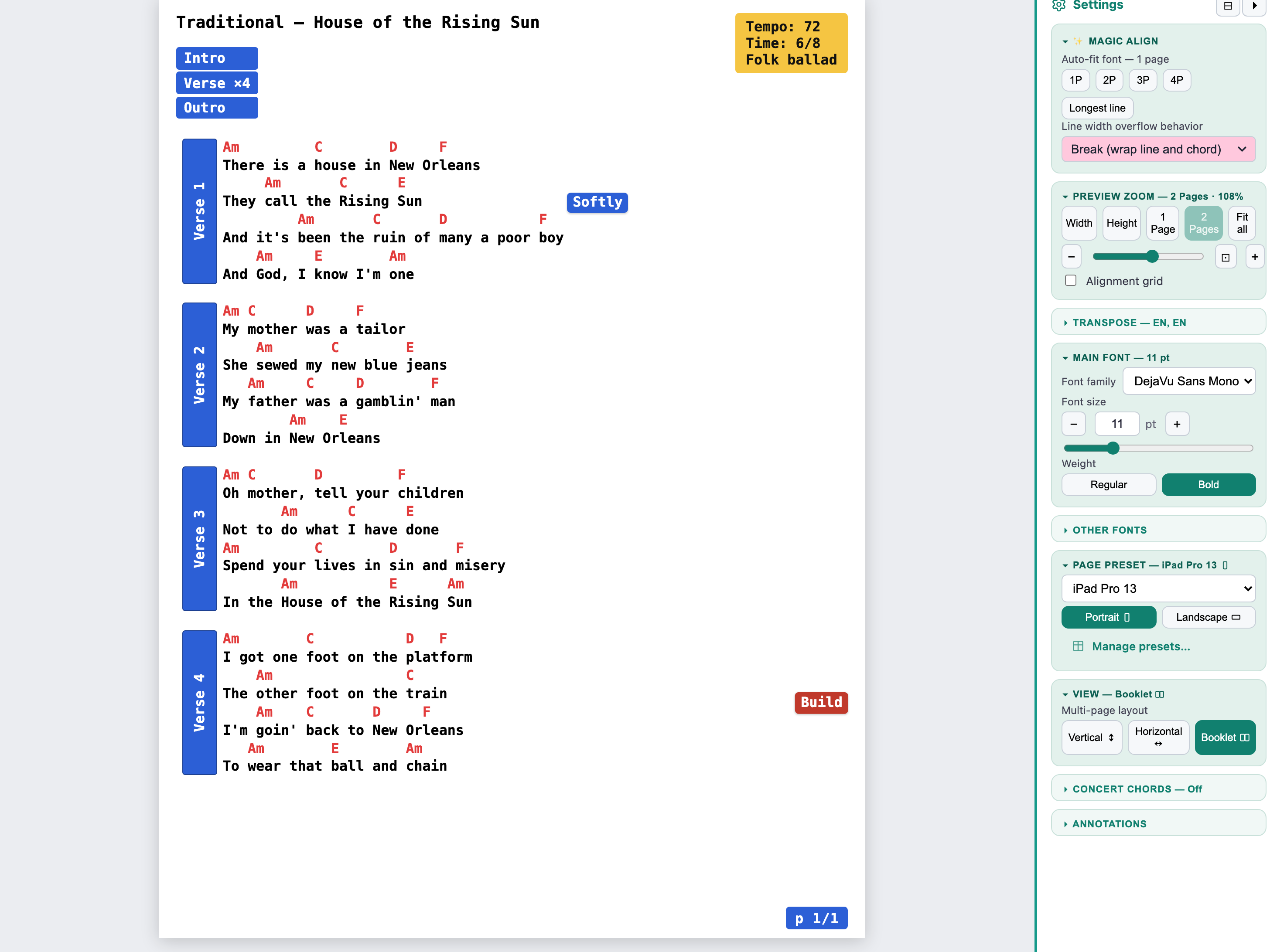
Arrange.
Transpose, add a capo, choose a layout. It handles the page turns, so a line you need is never split across a page.
-
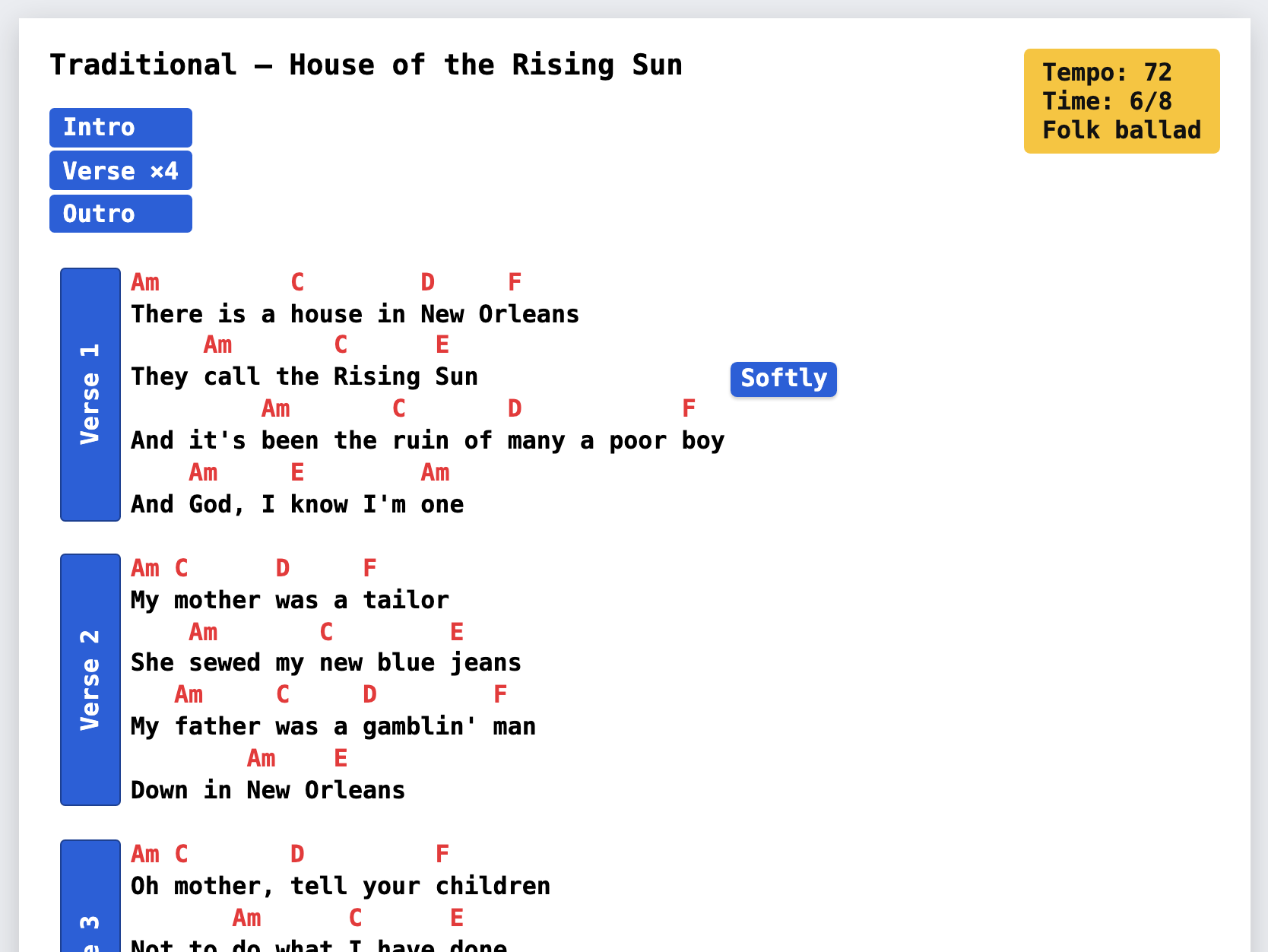
Export.
A print-perfect PDF, sized for the music stand, the binder, or your tablet app.
Gallery
Charts that look like they belong together.
Real exports, all public-domain songs. Same calm, consistent look — whether it's a hymn or a folk tune.
-
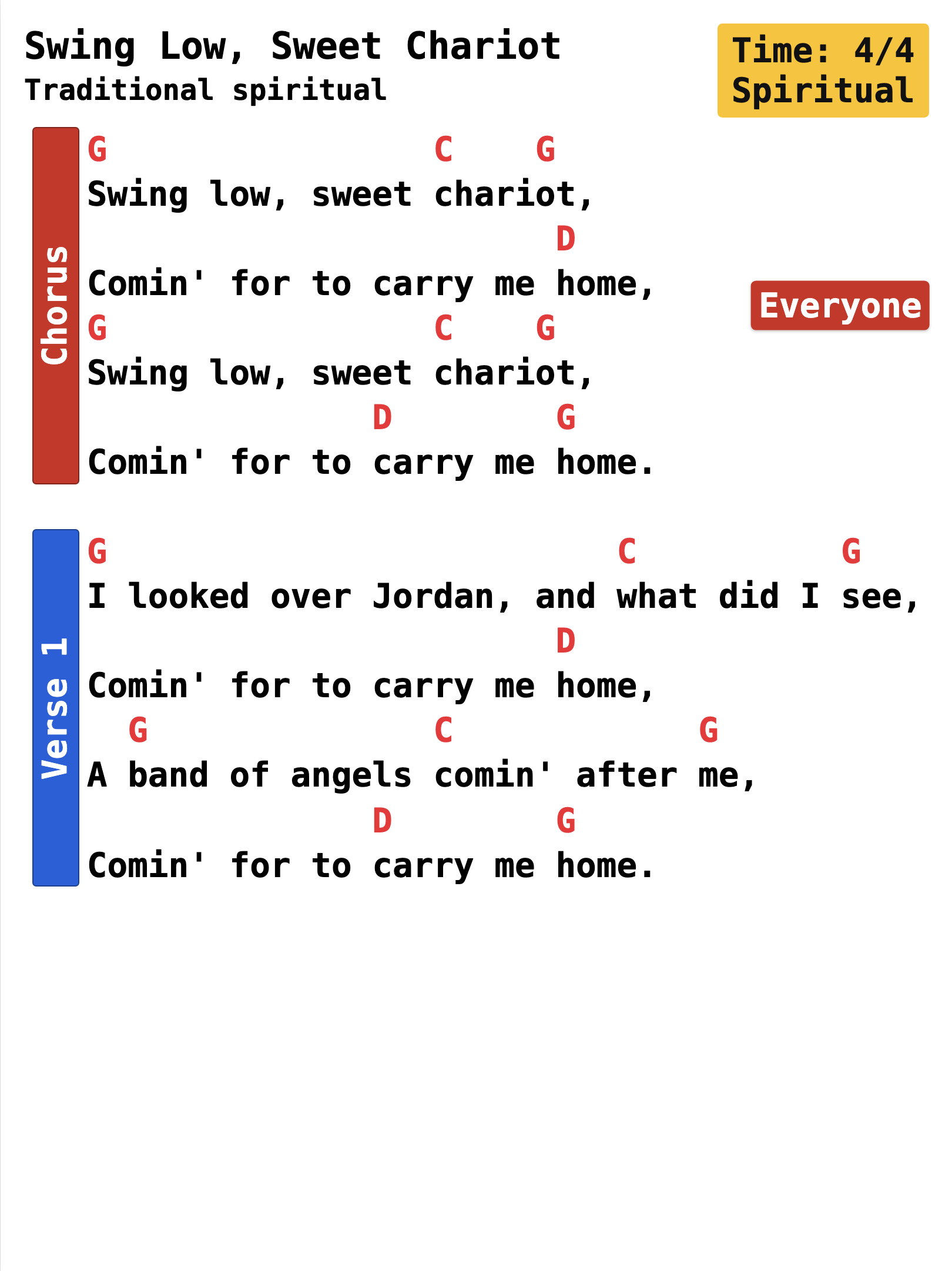 Swing Low, Sweet Chariot
 -
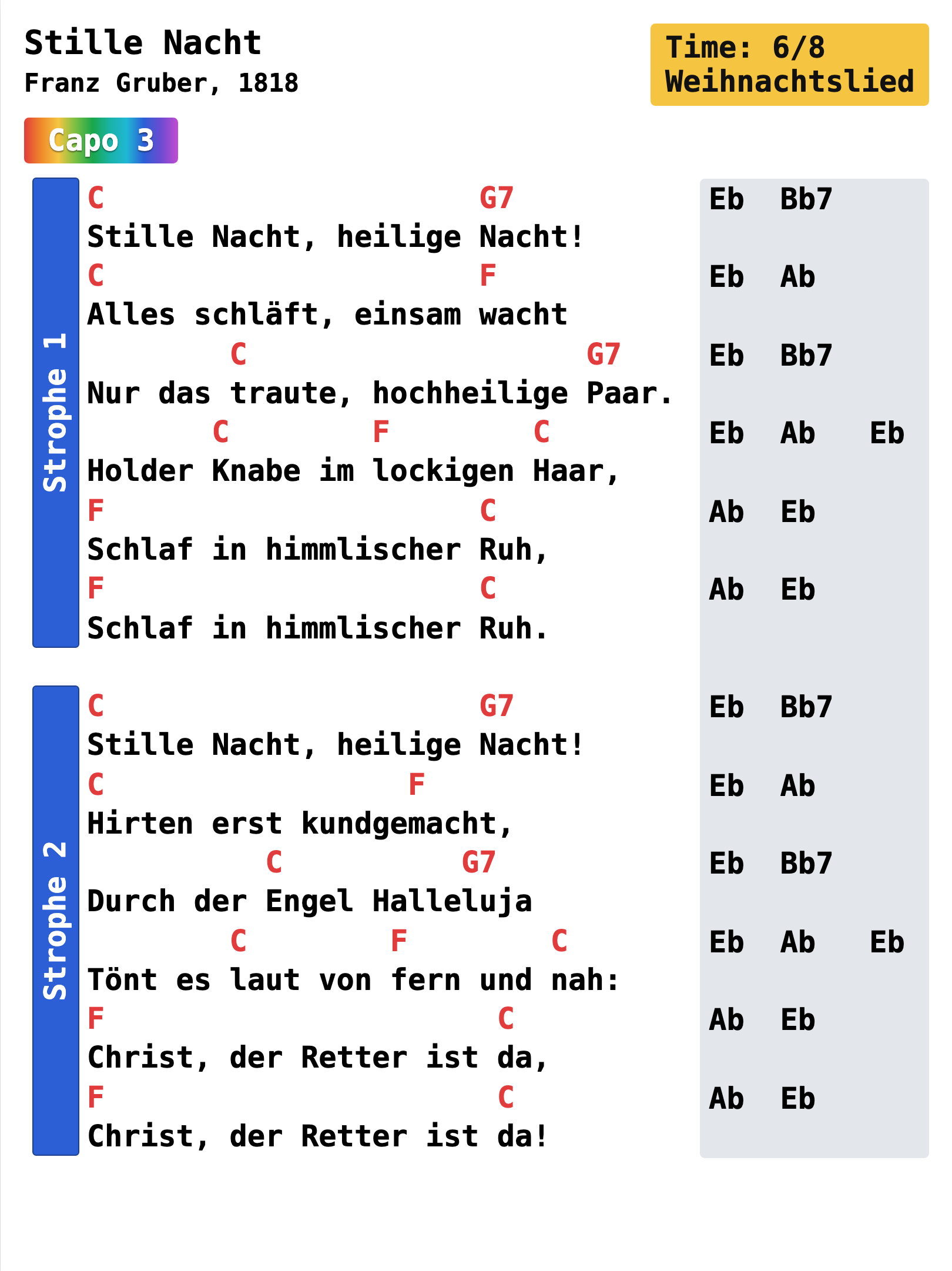 Stille Nacht
 -
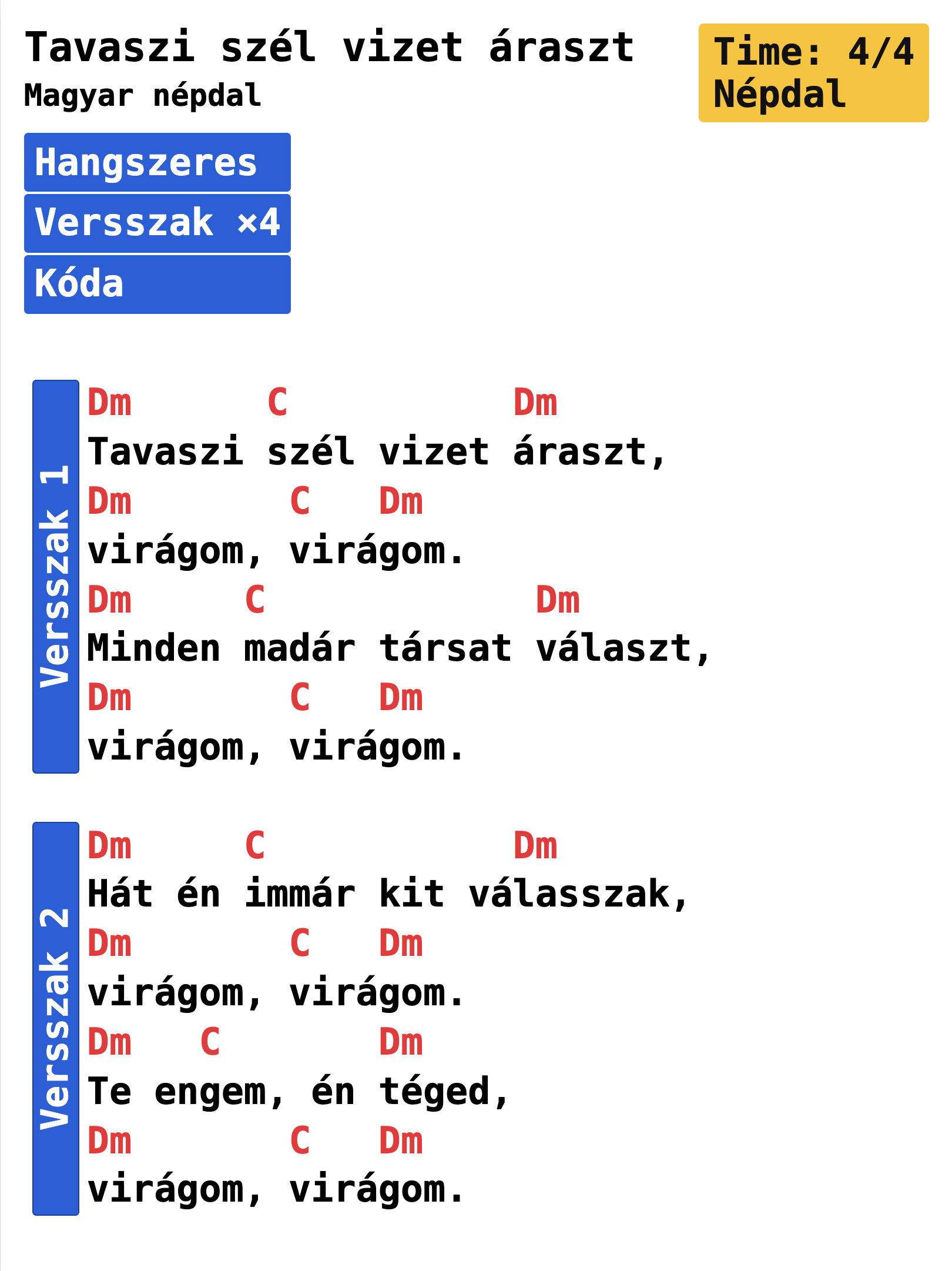 Tavaszi szél vizet áraszt
 -
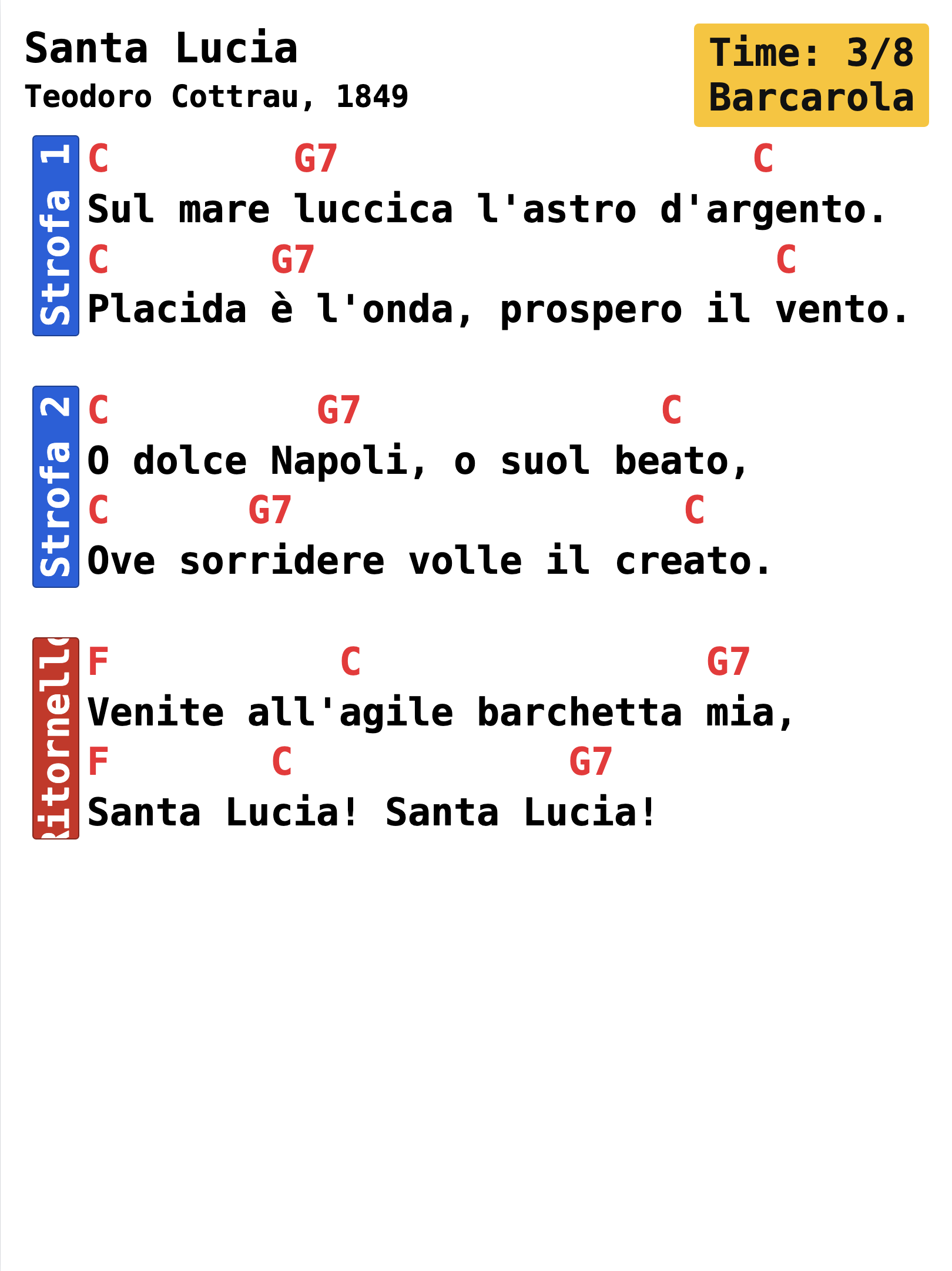 Santa Lucia
 -
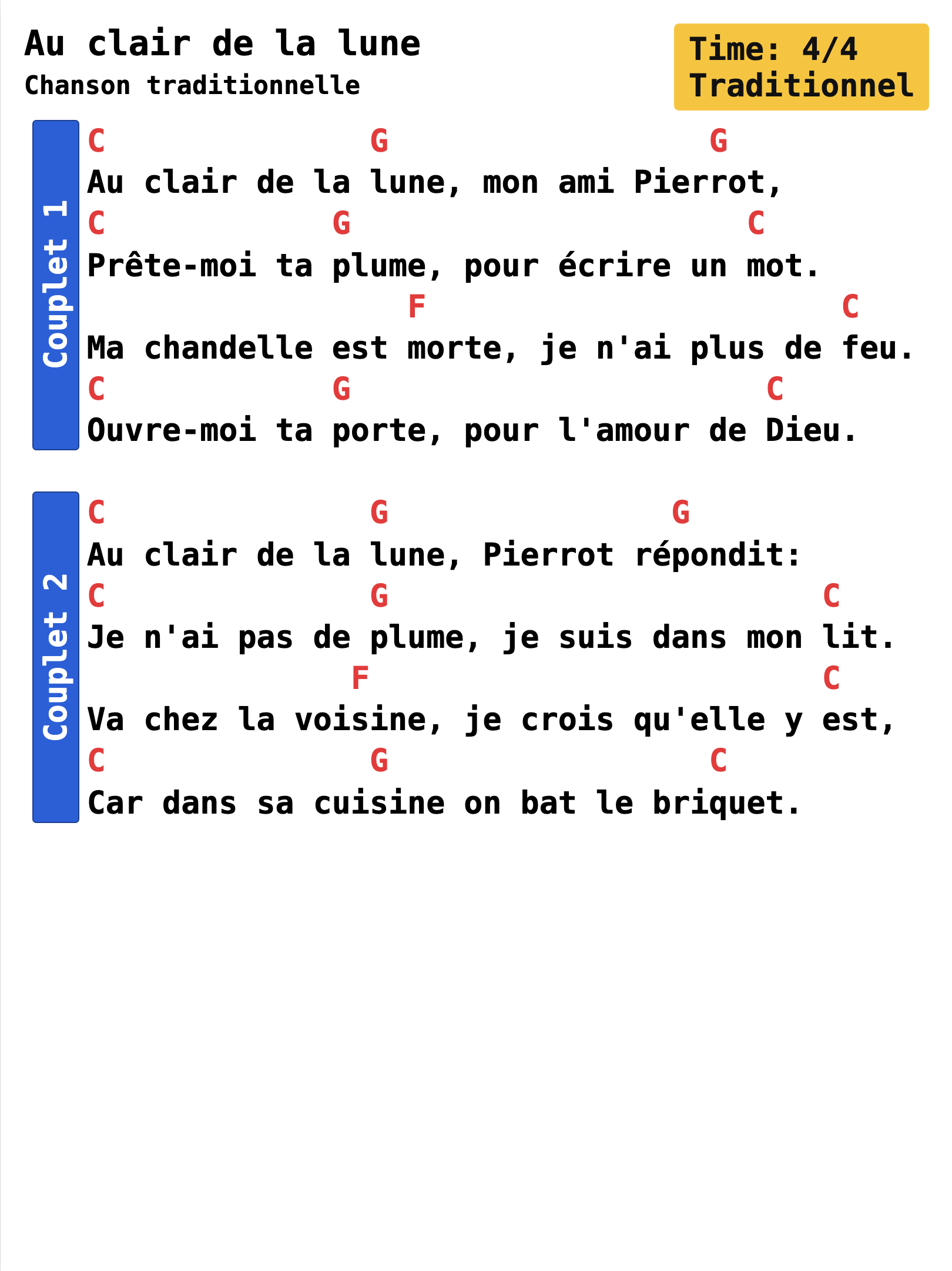 Au clair de la lune
 -
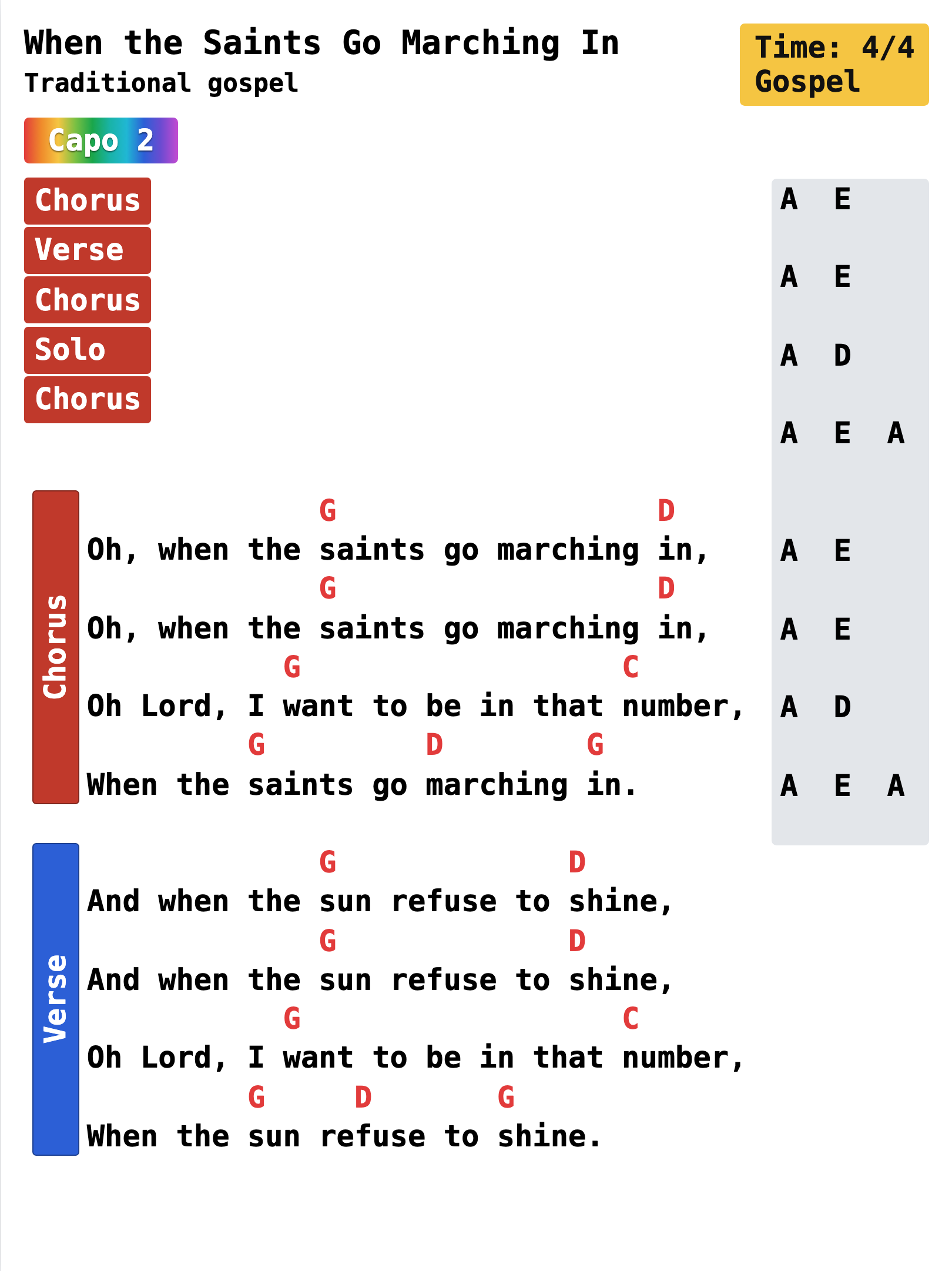 When the Saints Go Marching In
Every sample here is a public-domain song.
GigCharts has no public library of lyrics — you bring your own songs.
Features
Everything a clean chart needs.
Nothing it doesn't.
-
One unified look
Every chart in your book belongs together — the same calm, professional typesetting across your whole repertoire.
-
Transpose, instantly
Move any song to any key in a tap. Free for everyone.
-
Capo-aware
Set a capo and GigCharts shows the chords you actually finger, so the whole band plays them the same way.
-
Concert chords
Flip to concert pitch so transposing instruments read the right notes.
-
Understands ChordPro
Import and export ChordPro, plus chords-above-lyrics and inline [C] styles.
-
Page-turn helper
Repeats a line or two at each page break, so a tablet app that can't handle page turns never loses your place.
-
Print or tablet
Export sized for Letter, A4, iPad and more — ready for the stand or the screen.
-
Sections, cues & road-map
Mark verses and choruses, drop performance cues, and map the whole arrangement at a glance.
-
Speaks your language
A multilingual interface, so you build charts in the language you actually play in.
-
Yours to keep
Export a PDF that opens anywhere, and keep the editable source. No lock-in — a song is never trapped in one app or one format.
-
Voices in color
Color each singer's line so the whole band can see at a glance who takes what.
-
Works offline
Runs right in your browser — nothing to install. Once it's loaded it keeps working without a connection, and exports PDFs offline too.
-
Custom color palettes Pro
Recolor your charts and build your own palettes, beyond the curated factory sets.
-
Live cloud sync Pro
Your whole library, backed up and synced across every device you work on.
-
Songbooks & booklets Pro
Bind your songs into one PDF with a cover, contents page and consistent layout.
Compare all features across tiers
| Feature | Free No account | Free account Sign in | Pro Paid plan |
|---|---|---|---|
| Making charts | |||
| Full chart editor No feature of the editor itself is paywalled | Included | Included | Included |
| PDF export Unlimited, on every tier | Included | Included | Included |
| Transpose to any key | Included | Included | Included |
| Capo shapes | Included | Included | Included |
| Concert chords For transposing instruments | Included | Included | Included |
| ChordPro import & export | Included | Included | Included |
| Sections, cues, road-map & annotations | Included | Included | Included |
| Page sizes Letter, A4, iPad, HD and more | Included | Included | Included |
| Multilingual interface | Included | Included | Included |
| Your library | |||
| Songs in your library | 20 | 50 | Unlimited* |
| Saved account Sign in with a one-tap email link — no password | Not included | Included | Included |
| Where songs live | This device | This device | Every device |
| Live cloud sync & backup | Not included | Not included | Included |
| Songbooks & booklet printing Bind songs into one PDF with cover + contents | Not included | Not included | Included |
| Look & output | |||
| Color palettes | Rainbow only | All factory | Factory + custom |
| Recolor individual elements | Not included | Not included | Included |
| Chart fonts | 3 standard | 3 standard | All 7 |
| Image export (PNG / JPG) | Not included | Included | Included |
| “Generated with GigCharts.app” credit | Shown | Shown | Removed |
Fair-use limit of 2,000 songs. Get in touch if you need more — or see the pricing for each tier.
Who it's for
Built for people who play from a book.
-
Gigging bands
One clean book everyone can read — no more three handwriting styles on one stand.
-
Worship teams
Large-print, consistent charts that are easy on stage and easy to share with the team.
-
Music teachers
Handouts that look the part — clear, uniform, and ready to photocopy.
-
Folk & traditional players
Multilingual section labels and clean type for songs from anywhere.
Create here, perform there
It plays nicely with the apps you already use.
GigCharts makes the chart; your tablet app turns the pages. Export a clean PDF and load it into forScore, OnSong, MobileSheets or B.Beat — or just print it and turn pages by hand or with a page-turner pedal.
Plain compatibility, not partnership: those are other companies' apps, and GigCharts isn't affiliated with or endorsed by them.
Pricing
Free gives you a beautiful chart.
Pro keeps your work safe everywhere.
Free
No account$0
Everything you need to make a beautiful chart.
- Full editor & one curated look
- Unlimited PDF export
- Up to 20 songs (this device)
- Transpose & capo, any key
Free account
Sign in$0
A little more room, with a saved account.
- Up to 50 songs
- Image (PNG / JPG) export
- Every color palette
- A saved account
Pro
$29 / year or $69 once — yours forever
For your whole repertoire, on every device.
- Unlimited songs*
- Live sync across all your devices
- Custom color palettes
- Songbooks & booklet printing
- No “made with GigCharts” credit
Fair-use limit of 2,000 songs — need more? Just get in touch.
Get Pro
About
Made by one person.
I'm Atti — born in Transylvania, a software developer, playing in a Bay-Area band. I first built this back in 2002 in Delphi, then rebuilt it in PHP, and again in TypeScript — because I could never make charts that looked the way I wanted.
I kept rewriting it as the technology moved on and I wanted to keep up. Every version had its merits; this fourth one is the first I've wanted to share more widely — and the one that finally works.
Made with care by one person, and built to keep your songs safe and yours.
FAQ
Questions, answered plainly.
Is my stuff private?
Yes. Your songs are yours. On the free plan they stay on your device; Pro backs them up to your private library. Nothing is public, nothing is searchable by strangers.
Does it work offline?
Yes — once loaded it runs without a connection, and exports PDFs offline too.
What about copyright?
You bring your own songs; GigCharts is a tool, like a word processor. There's no public library of lyrics here.
Will it work with my tablet app?
It exports standard PDFs that open in forScore, OnSong, MobileSheets, B.Beat, or any PDF reader. GigCharts itself is an authoring tool, best used on a laptop or desktop — you can view and make light edits on a phone or iPad, but building a chart is a big-screen job.
What does it cost?
There's a genuinely useful free version. Pro is a small yearly subscription.
Give your whole book one calm, professional look.
Paste a song and see it for yourself — free, no account needed.
Try it free